
TenantCloud
TenantCloud LLCHouse & Home
4.1128.00 Reviews
- Version
- 1.33.0
- Installs
- 10.00K
- Age Rating
- Everyone
Screenshots
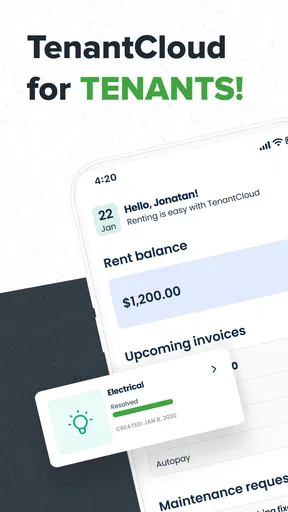
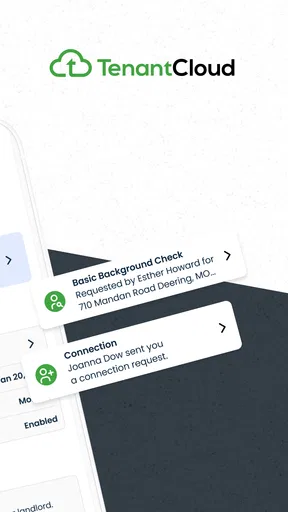
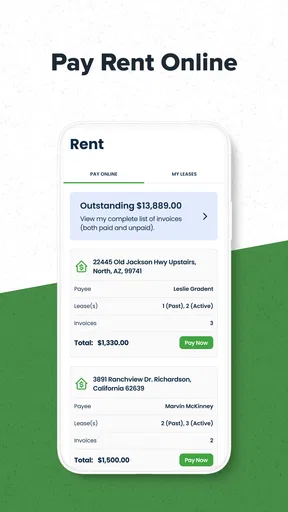
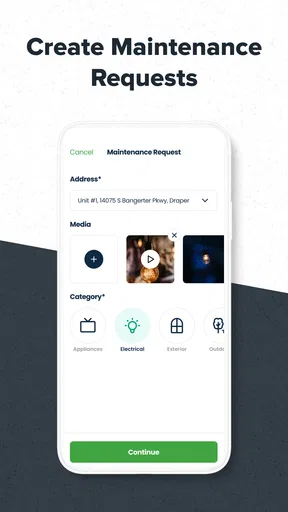
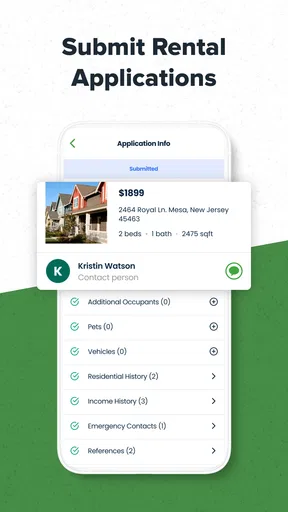
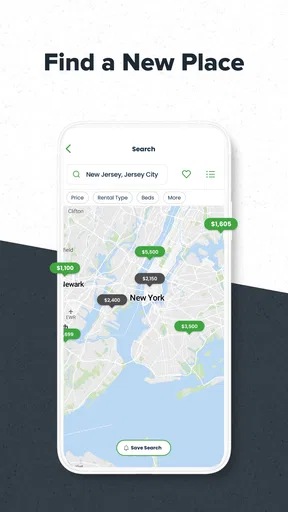
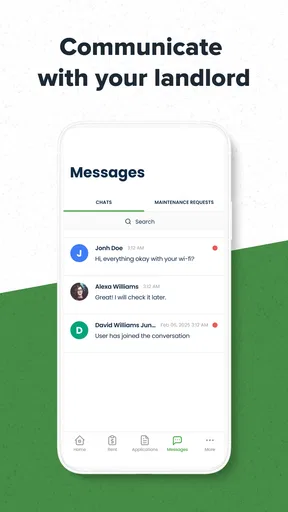
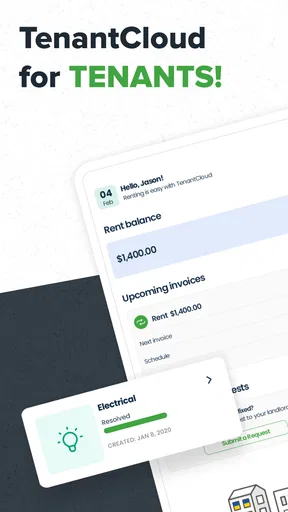
Our Review of TenantCloud
 Analysis by Appyee
Managing a rental can become surprisingly complicated when everyday household tasks are spread across messages, paper notes, email threads, and a landlord’s separate system. I found TenantCloud most useful as a tenant-focused place to keep rental activity closer together. It is a free House & Home app from TenantCloud LLC, designed for tenants rather than landlords, and that focus matters: the experience feels more relevant when my main concern is understanding and handling my side of a rental relationship.
I would not describe it as a complete replacement for every communication method a household already uses. Its value depends on whether the landlord or property manager also works within the TenantCloud environment. When that connection exists, the app can make rental coordination feel more organized. When it does not, the app is less useful as a standalone household planner. That distinction is the first thing I would explain to a friend before recommending it.
How TenantCloud fits into a shared household
A realistic example is a couple sharing responsibility for an apartment. One person usually notices maintenance problems, while the other keeps track of rent conversations and property details. Without a central tenant app, both people may have partial information. One has a photo of the leaking tap, another remembers when the landlord was contacted, and neither is completely sure whether the issue is still waiting for a response.
TenantCloud can help the household keep the tenant side of that relationship more visible. I would use it as the place to check rental-related activity before sending another message or asking the other person what happened. That simple habit can reduce duplicated requests and prevent a small household problem from becoming a confusing chain of explanations.
The important boundary is that this is not a general family organizer. I would not expect it to manage grocery lists, school schedules, shared chores, or personal reminders. Its purpose is narrower and more practical: rental coordination. That narrow purpose is a strength when the household wants fewer scattered conversations about the home, but it also means the app should sit alongside, not replace, the tools used for everything else.
For people living alone, the benefit is easier to judge. There is no need to coordinate with another resident, so the app’s usefulness comes from keeping rental interactions accessible in one place. For roommates, the benefit is more about reducing uncertainty. Before contacting a landlord, I would check what has already been reported and whether the matter appears to have progressed. That small step can save time and avoid sending several versions of the same request.
The best use of TenantCloud is as a shared reference point for tenant responsibilities, not as a replacement for household communication. I found that distinction helpful because it keeps expectations realistic. The app can support coordination, but it cannot make an unresponsive landlord responsive or settle disagreements between roommates.
Starting with the right account boundary
Setup is easiest when each person treats the app as their own tenant account rather than passing one login around the household. Sharing credentials may seem convenient, especially on a shared device, but it makes responsibility unclear. If a message, update, or rental action is associated with one account, everyone should know who is actually accountable for it.
I would begin by having the person named in the rental relationship establish access, then decide how the household will use the app. A roommate might need to be informed about activity without taking over the primary account. A partner may need to see the same rental information, but that does not automatically mean both people should use one identity. The safest approach is to keep account ownership clear and use ordinary household communication for anything the app does not directly cover.
This is especially important on a tablet or phone used by several people. Before leaving the app open, I would consider whether the next person using the device should see rental conversations or property information. A shared screen is not the same thing as shared authorization. If the device belongs to the household, that still does not remove the need for sensible boundaries around personal accounts.
TenantCloud is rated for Everyone, which makes it broadly suitable from an age-label perspective. I would still separate that label from the question of who should manage a rental account. A younger household member may be able to view an app interface, but that does not mean they should be responsible for rental decisions, payment-related discussions, or contacting a property manager. Age suitability and account responsibility are different questions.
The app is free to download, which makes trying it less of a financial commitment. Even so, I would not install it on every household device automatically. First, I would identify who genuinely needs access, which device is most convenient, and whether the landlord or manager expects tenants to use TenantCloud. A small amount of planning at the beginning avoids a messy setup later.
Keeping rental coordination from becoming duplicated work
Once the account boundary is clear, the next challenge is deciding how the household coordinates. I prefer a simple rule: one person notices and records an issue, then the other person checks the current status before taking further action. This works well for maintenance concerns because it avoids two residents describing the same problem in slightly different ways.
For example, imagine that a bedroom window starts letting in rain. I would record the issue through the tenant workflow available in the account, include a concise description, and keep any relevant details together. My partner could then check the same rental activity rather than sending a second message from a different channel. If the situation changes, we could discuss the update at home while keeping the rental communication tied to the original matter.
The useful insight here is that the app works best when the household agrees on a “single source of truth.” That does not mean every conversation must happen inside the app. It means the household chooses one place to verify whether a rental issue has been raised and what has happened since. Text messages can still handle urgent coordination between residents, but the tenant-facing record should not be recreated repeatedly in different places.
I would also avoid using the app as a live chat substitute between roommates. If the question is “Who is buying cleaning supplies?” it belongs in a household chat or task list. If the question is “Has the landlord received the report about the broken heater?” TenantCloud is the more relevant place to check. Keeping those subjects separate makes the app easier to understand and prevents it from becoming another cluttered inbox.
Another practical habit is to review rental activity before moving out, renewing, or discussing a recurring problem. I would use that moment to collect the relevant history and make sure everyone in the household has the same understanding of what was communicated. This is more useful than opening the app only when something goes wrong, because regular checking reduces last-minute confusion.
Where the app helps, and where other tools are better
Compared with relying only on email, TenantCloud has a clearer tenant-oriented purpose. Email is flexible, but rental messages can disappear among work, shopping, and personal conversations. A dedicated tenant app gives those interactions a more obvious home. I find that particularly useful when a household has several ongoing questions about the property and wants to avoid searching through unrelated correspondence.
Compared with a general notes app, TenantCloud is more closely connected to the rental relationship. A note can remind me that a repair was needed, but it does not provide the same tenant-focused context. On the other hand, a notes app may be better for private observations, measurements, moving checklists, or a roommate’s personal reminders. I would use both when necessary instead of forcing every piece of household information into one place.
Compared with a shared messaging group, the app is less casual but potentially more structured for rental matters. Messaging is excellent for quickly telling a partner that a technician may arrive or that someone should be home. It is less reliable as a long-term record because important details can be buried under unrelated conversation. TenantCloud is the better first stop for checking the formal tenant-side history, while messaging remains useful for immediate household logistics.
There is also a trade-off with landlord communication. A dedicated platform can reduce scattered exchanges, but it may feel less convenient if the property manager prefers another process. I would not ask a landlord to change systems solely because one tenant prefers a particular app. The practical question is whether TenantCloud is part of the rental arrangement already. If it is, the app has a clear role. If it is not, an email thread or the manager’s chosen portal may be more effective.
This is why I would recommend it more strongly to tenants whose property manager uses TenantCloud than to someone looking for a generic home-management app. The app’s usefulness comes from the connection between tenant and rental workflow, not from simply having another icon on a phone.
Trust, privacy, and age-aware household use
Households often share devices even when they do not share every account. That creates a trust question that has nothing to do with whether an app is easy to use. I would keep my TenantCloud session under my own control and avoid assuming that a partner, roommate, guest, or child should be able to open it just because they can access the phone.
For families, I would explain to children that the app concerns the adults’ rental responsibilities. The Everyone rating is reassuring for general age labeling, but it should not be treated as a reason to hand over account management. A child can help locate the app or understand that it relates to the home, while adults remain responsible for decisions and communication connected with the tenancy.
For older relatives or less confident smartphone users, the main challenge may be navigation rather than age. I would sit with them during the first use, explain what the app is for, and agree on which tasks they should handle themselves. If a relative is only helping with household awareness, showing them the relevant information may be better than giving them unrestricted access to an account.
Trust also matters between roommates. TenantCloud can make rental communication easier to reference, but it does not remove the need to agree on who reports issues, who follows up, and who communicates urgent changes. I would write those household rules down somewhere simple. The app can support the agreement; it cannot create one automatically.
What the current app details suggest
The current version is 1.33.0, and the app requires Android 9 or newer. For someone using an older Android phone, that requirement is worth checking before planning the app into a household routine. A shared household device may be older than the phone used by the primary tenant, so compatibility should be considered for every device that needs access.
TenantCloud has an average rating of 4.1 from around 1.3 thousand ratings, with over 100 written reviews, and it has passed 10 thousand installs. I read those figures as signs of a real but still fairly focused tenant audience rather than proof that it will fit every rental situation. The rating is respectable, but it also leaves room for different experiences depending on the landlord’s setup, the user’s expectations, and the specific workflow being used.
The app was released on December 4, 2023. That gives it a relatively modern place in a tenant-app comparison, but I would still judge it by the day-to-day experience rather than by release timing. What matters most is whether it helps me find the right rental information quickly and whether my property manager actually uses the same system.
Because the app is free and carries an Everyone content rating, it is easy to consider for a household without adding a subscription decision to the setup. That does not make it automatically the best option. A free tenant app can still be unnecessary if the landlord already provides a reliable portal or if the household has no need for a separate rental workflow.
Who should choose it and who should skip it
I would recommend TenantCloud to renters who want a tenant-focused place to follow rental matters, especially when their landlord or property manager already works with TenantCloud. It is also a sensible choice for roommates who need a clearer way to check whether a maintenance concern or other rental conversation has already been handled.
I would be more cautious recommending it to someone searching for a complete home dashboard. If the main goal is shared chores, bills unrelated to rent, family scheduling, or household inventory, this is too specialized. A general organization app will probably serve those needs better, while TenantCloud can remain dedicated to the rental relationship.
I would also skip it as a primary solution when the property manager does not participate in the platform. Installing it may still be harmless, but the central advantage is weakened. In that situation, the manager’s existing portal, email process, or communication channel is likely to be the practical choice.
For a household with frequent account disputes, the app should not be treated as a substitute for a written agreement about responsibilities. Decide who owns the tenant account, who checks updates, and how urgent matters are escalated. Those decisions are more important than simply downloading the application.
My final view is positive but deliberately specific. TenantCloud is most valuable when a tenant household needs clearer rental coordination and already has a matching property-management workflow. I like its focused role, free access, and suitability for keeping tenant activity separate from ordinary family chatter. I would not present it as a universal home-management tool, and I would keep account access carefully separated on shared devices.
After using it, I would keep the app if it becomes the place I naturally check before following up on a rental issue. If I still need to search email, messages, and several unrelated tools for the same information, then the household’s real problem is not solved by adding another app. For the right tenant setup, though, TenantCloud can make the rental side of home life easier to coordinate without pretending to manage everything else.
Verdict
Strengths of TenantCloud
- Online rent collection simplifies recurring payments.
- Maintenance requests can be tracked from submission to completion.
- Tenant screening tools help landlords assess applicants.
- Accounting features support income and expense organization.
- Mobile access makes property tasks manageable while traveling.
Limitations of TenantCloud
- Some advanced features require a higher-tier subscription.
- The interface may feel complex for first-time property managers.
- Payment processing fees can add to overall operating costs.
- Support response times may vary depending on the plan.
- Setup can take time when importing properties and tenant records.
Other Releases by TenantCloud LLC
View All
Rentler
House & Home4.6
Similar Picks in This Category
View All
Universal TV Remote Control
CodeMatics Media Solutions3.9

AlfredCamera Home Security app
Alfred Systems Inc.4.7

Planner 5D: AI Home Design
Planner 5D4.5

Universal Tv Remote-Cast to TV
One Music Player4.1

Zillow: Homes for Sale & Rent
Zillow Group4.8

99acres Buy/Rent/Sell Property
infoedge.com4.3
Frequently Asked Questions
What is TenantCloud, and who is it designed for?
TenantCloud is a property management platform designed for landlords, property managers, and tenants. It brings common rental tasks into one place, including listing properties, collecting rent, tracking maintenance requests, communicating with renters, and organizing lease information. Its usefulness depends on your role and subscription plan, so users should check which features are available before downloading or creating an account.
Can tenants pay rent and submit maintenance requests through TenantCloud?
Yes, TenantCloud can allow tenants to pay rent online and submit maintenance requests directly through the platform when these features are enabled by their landlord or property manager. Payment methods, processing fees, due dates, and available options may vary. Tenants should review the payment screen carefully and confirm that their property manager supports online payments through TenantCloud.
Does TenantCloud charge a subscription or transaction fee?
TenantCloud offers different plans and may apply fees depending on the account type, selected features, and payment method. Landlords and property managers should review current pricing before subscribing, while tenants may encounter convenience or processing fees for certain online payments. Because prices and plan limits can change, checking the official pricing information is recommended before relying on the service.
Is TenantCloud suitable for managing multiple rental properties?
TenantCloud is intended to help landlords and property managers organize multiple properties, units, tenants, leases, maintenance tasks, and financial records from a centralized dashboard. However, the number of properties, users, reports, automation tools, and other capabilities may depend on the subscription plan. Owners with larger portfolios should compare the available limits and features with their management requirements.
Is my personal and rental information secure in TenantCloud?
TenantCloud handles information such as contact details, lease records, payment data, property information, and maintenance communications, so users should review its privacy policy and security practices before using the service. Use a strong, unique password and enable any available account protections. Avoid sharing login credentials, and contact official support if you notice suspicious activity or an unexpected transaction.
